
Government Agency Purchasing
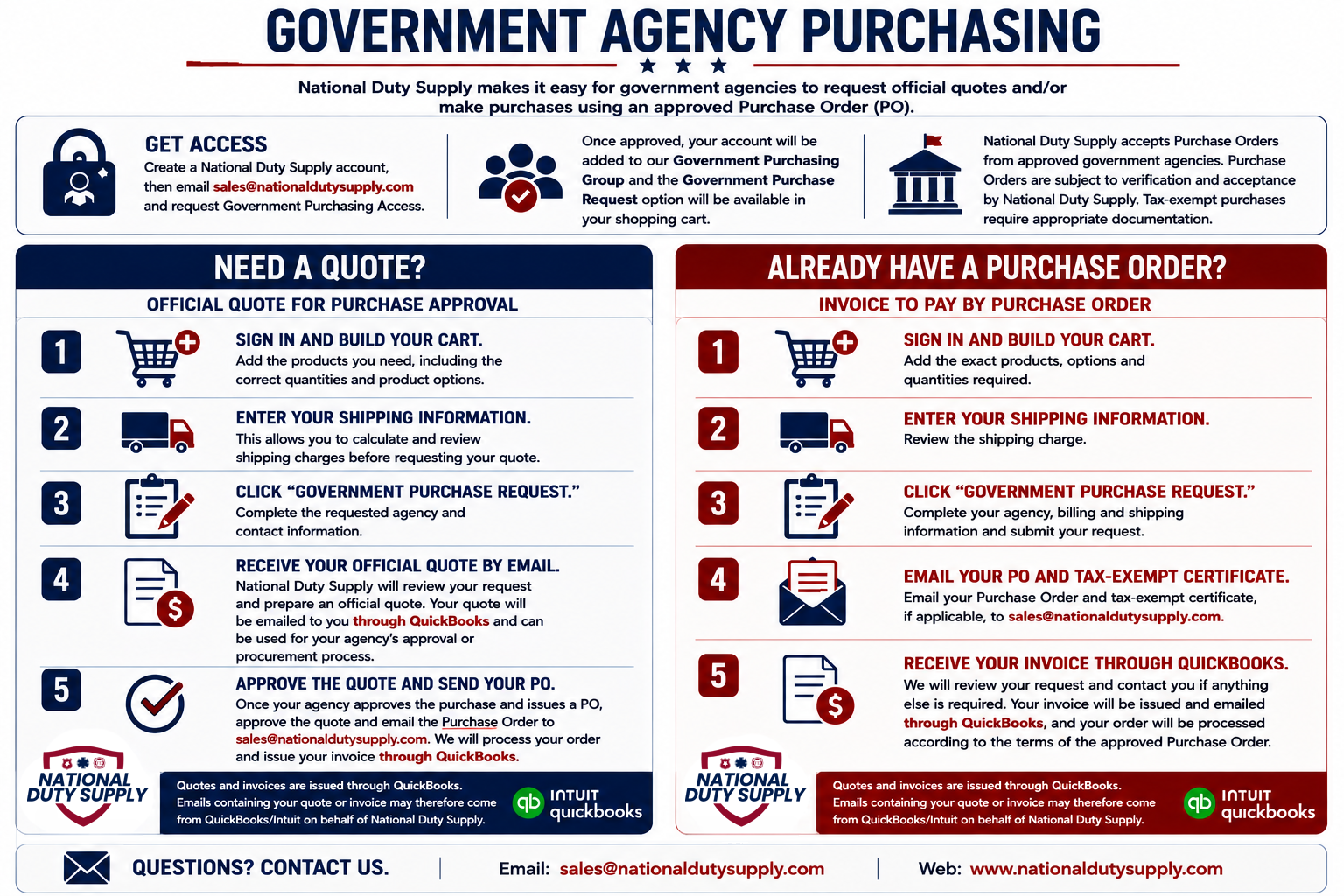
National Duty Supply makes it easy for government agencies to request official quotes and/or make purchases using an approved Purchase Order (PO).
To use our government purchasing options, first create a National Duty Supply account. Then contact sales@nationaldutysupply.com and request Government Purchasing Access. Please use your government or agency email address whenever possible.
Once approved, your account will be added to our Government Purchasing Group, and the Government Purchase Request option will become available in your shopping cart.
Need a Quote for Purchase Approval?
- Sign in and build your cart.
Add the products you need, including the correct quantities and product options. - Enter your shipping information.
This allows you to calculate and review shipping charges before requesting your quote. - Click “Government Purchase Request.”
Complete the requested agency and contact information. - Select “Official Quote for Purchase Approval.”
- Complete your billing information.
If your shipping address is different from your billing address, enter the separate shipping information provided on the form. - Submit your Government Purchase Request.
If applicable, email your tax-exempt certificate to sales@nationaldutysupply.com. If a Purchase Order has already been issued, you may also send it at this time. - Receive your official quote by email.
National Duty Supply will review your request and prepare an official quote. Your quote will be emailed to you through QuickBooks and can be used for your agency’s approval or procurement process. - Approve the quote and send your Purchase Order.
Once your agency approves the purchase and issues a PO, approve the quote and email the Purchase Order to sales@nationaldutysupply.com. We will process your order and issue your invoice through QuickBooks.
Already Have a Purchase Order?
National Duty Supply accepts Purchase Orders from approved government agencies. Purchase Orders are subject to verification and acceptance by National Duty Supply. Tax-exempt purchases require appropriate documentation.
If your agency has already issued a PO, there is no need to go through an additional quote-approval cycle.
- Sign in and build your cart.
Add the exact products, options and quantities required. - Enter your shipping information and review the shipping charge.
- Click “Government Purchase Request.”
- Select “Invoice to Pay by Purchase Order.”
- Complete your agency, billing and shipping information and submit your request.
- Email your Purchase Order and tax-exempt certificate, if applicable, to sales@nationaldutysupply.com.
- We will review your request.
National Duty Supply will review the PO and order details and contact you if anything else is required. - Receive your invoice through QuickBooks.
Your invoice will be issued and emailed through QuickBooks, and your order will be processed according to the terms of the approved Purchase Order.
Important
Quotes and invoices are issued through QuickBooks. Emails containing your quote or invoice may therefore come from QuickBooks/Intuit on behalf of National Duty Supply.